A couple of weeks ago I mentioned how to upload plugins to WordPress.org – and now I give to you, my second WordPress plugin – bm-comment-highlight.
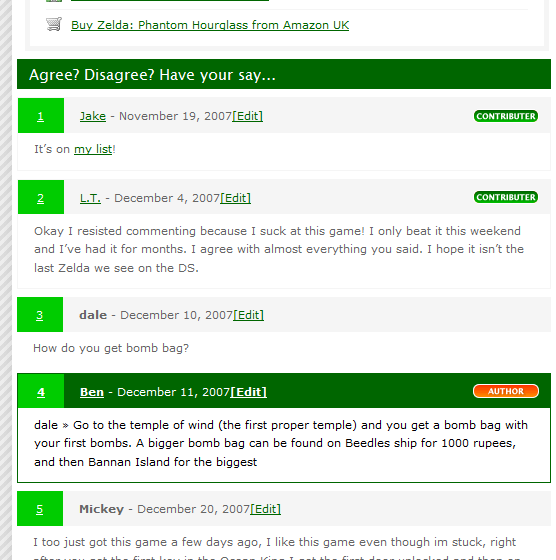 Comment Highlight does exactly what it says on the tin. If you look around you will find that there are a lot of plugins that do what bm-comment-highlight does, namely add extra classes to comments so that you can make them look different, but none work in the way bm-comment-highlight does.
The problem I had was that I wanted to automate the process, I wanted it to work well when you have multiple authors, and I wanted to have more control over the styling. Since there was nothing that worked the way I wanted I wrote my own.
Most current plugins simply give you a single class to style your comments with. This means that all the comments will either be yours, or your readers – there is no scope for doing interesting things. With bm-comment-highlight, you can see if the commenter is the post author, or a reader. You can see if they are registered or not, and if they are registered you can see their user id, which means that if you want you can style each registered users comments differently (with a photo or avatar perhaps?).
I am currently running bm-comment-highlight on Binary Joy (the Zelda review has a nice example), and you can see it in action on many of the posts on the site. Currently I style the post author and the registered users differently from the average commenter.
You can download the plugin from WordPress.org
Let me know what you think on Mastodon, or BlueSky (or Twitter X if you must).
Link to this page
Thanks for reading. I'd really appreciate it if you'd link to this page if you mention it in your newsletter or on your blog.