People are resistant to change. It’s strange since I consider myself quite forward thinking, but I still find it takes me a while to accept new things. I’ve been using CSS3 effects for quite a while now – as have many web designers. It’s nice to be able to add a box shadow or a text shadow to things. Or maybe to round some corners. But that doesn’t mean I always think of using it.
For instance – I was recently updating the Pro Theme Design homepage – and there was an element I wanted to add that would make the screenshots of our themes look more like they were in a web browser. So, I dutifully opened Fireworks, created the window header, saved the image as a png, uploaded it to the server and set things up so it looked as I imagined.
The problem is that I didn’t even consider doing this any other way. I was looking at the site – and I liked what I saw – but then I remembered retina displays. It took me a little while to comprehend that, yes, this could actually be recreated using CSS3. So I set about making a CSS3 Window Demo.
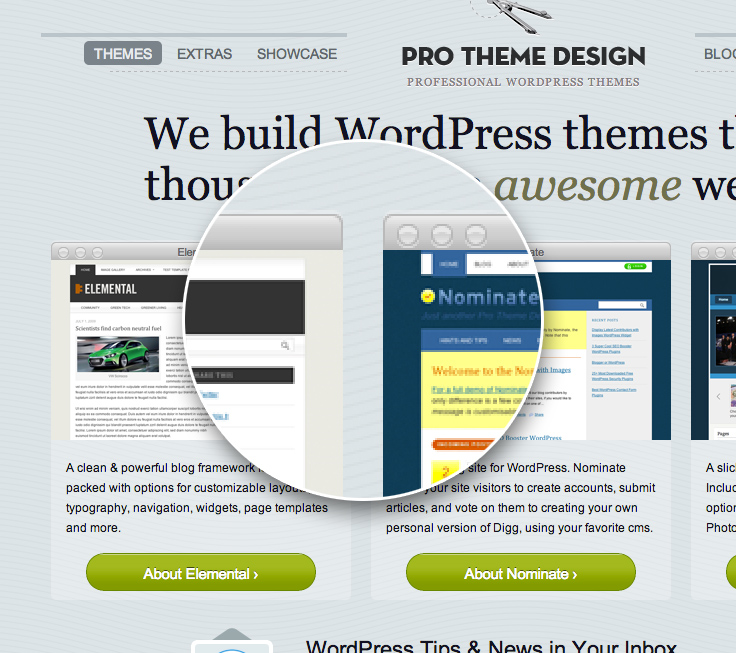
A Change of Mindset
I think what I need to do is stop thinking about CSS3 as purely being for decorating text and buttons. It does those things admirably, but I think it can be used for much more. In this case it’s styling for a header, but it puts the screenshot in context – and the method means that it will look equally good on all types of screens.
With browser support the way it is it should look good for most people as well, and for those where it does’t work 100% it will look ok.
CSS3 Windows
So I set about converting my image windows over to CSS3. In the end I managed to convert almost everything using a single div (with the power of the before and after pseudo selectors, and a liberal sprinkling of css3. And once done I had something that, arguably, looked better than my fireworks created image. What’s more it will scale beautifully – and look great on retina displays. Ok, it might not work perfectly in older browsers – but I set enough of the old properties that it should still display just fine.
I won’t describe how the code works, but I have put together a demo showing how the CSS3 Windows could be used.
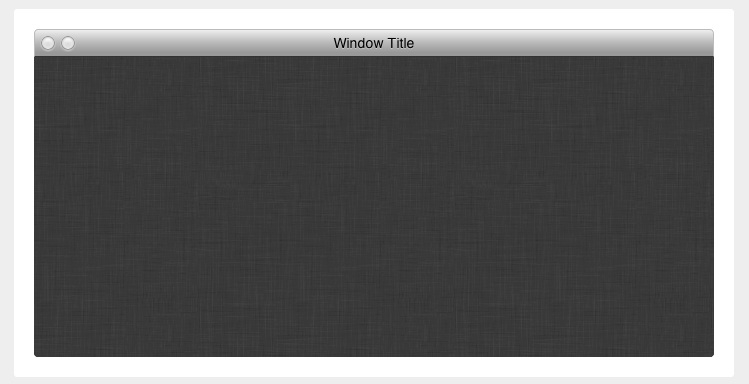
Note: there’s only 2 window buttons. This is because I was making use of the :before and :after pseudo classes. Works nicely and doesn’t require any extra elements, but does mean there’s one less button than needed. I think it’s a worthwhile tradeoff.
Let me know what you think on Mastodon, or BlueSky (or Twitter X if you must).
Link to this page
Thanks for reading. I'd really appreciate it if you'd link to this page if you mention it in your newsletter or on your blog.