More information →
TimThumb has always been built with simplicity in mind. However there are a few things it can do that have not been exposed before.
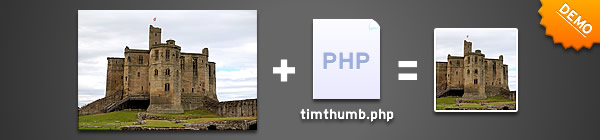
Inspired by a comment from RBhavesh I have decided to write a series of posts in which I will show you how TimThumb should be used – and introduce some new functionality.
In this post I will discuss the basic usage of the script – the minimum parameters to send, and some examples of usage.
Basic TimThumb Setup
Getting TimThumb to work is pretty straight forward. You need the php file, which you can download TimThumb from Google code, placed in a folder on your website. In the same directory as the timthumb.php file you need to add 1 directory. The directory should be called ‘cache‘ and needs to have its file permissions set to 775.
Simple explanation
TimThumb is a single php script that has a series of parameters passed to it through a query string. Whilst TimThumb has found a home in WordPress themes it is by no means limited to them – TimThumb can be used on any website to resize almost any image.
Requirements
For TimThumb to work your web server should support the PHP programming language and the GD image library. In all the time I have been developing TimThumb I have yet to find a server it wouldn’t work on, so there’s a pretty good chance that TimThumb will work on your server.
In addition you should create one directory for saving thumbnails. This directory should be in the same directory as the TimThumb script and should be named cache. The cache directory should have it’s permissions set to 775.
Note that the cache directory should be the only file/ directory with 775 permissions. The script, the scripts folder, and any other folders should have the default value for your server.
Basic Parameters
The parameters below are the main ones used. With these you can resize almost anything.
- src – this is the only required parameter. Absolutely everything else is optional. If you only specify the source property then the image will be cropped/ resized to the default dimensions (which are 100 x 100)
- w and h – width and height. Totally optional but also almost essential, few people want the default sizes. The width and height can be any value, TimThumb will enlarge or shrink as required.
- q – quality. This specifies the compression level of the images being cropped/ resized.
With just these parameters you can do everything you need to with the average TimThumb image. In the following parts I will outline the more advanced features of TimThumb including showing off some of the latest functionality.
In the next part I will be showing how to use some of the more advanced features in TimThumb, including how to make images greyscale and other filters.
How was it for you? Let me know on BlueSky or Mastodon
(Please) Link to this page
Thanks for reading. I'd really appreciate it if you'd link to this page if you mention it in your newsletter or on your blog.
 Join the Ninja Sparks Newsletter!