Plugin notifications have been a problem in WordPress for a long time now. Last week I saw a conversation on Slack where a developer said he thought they were getting out of hand, and then posted this screenshot:
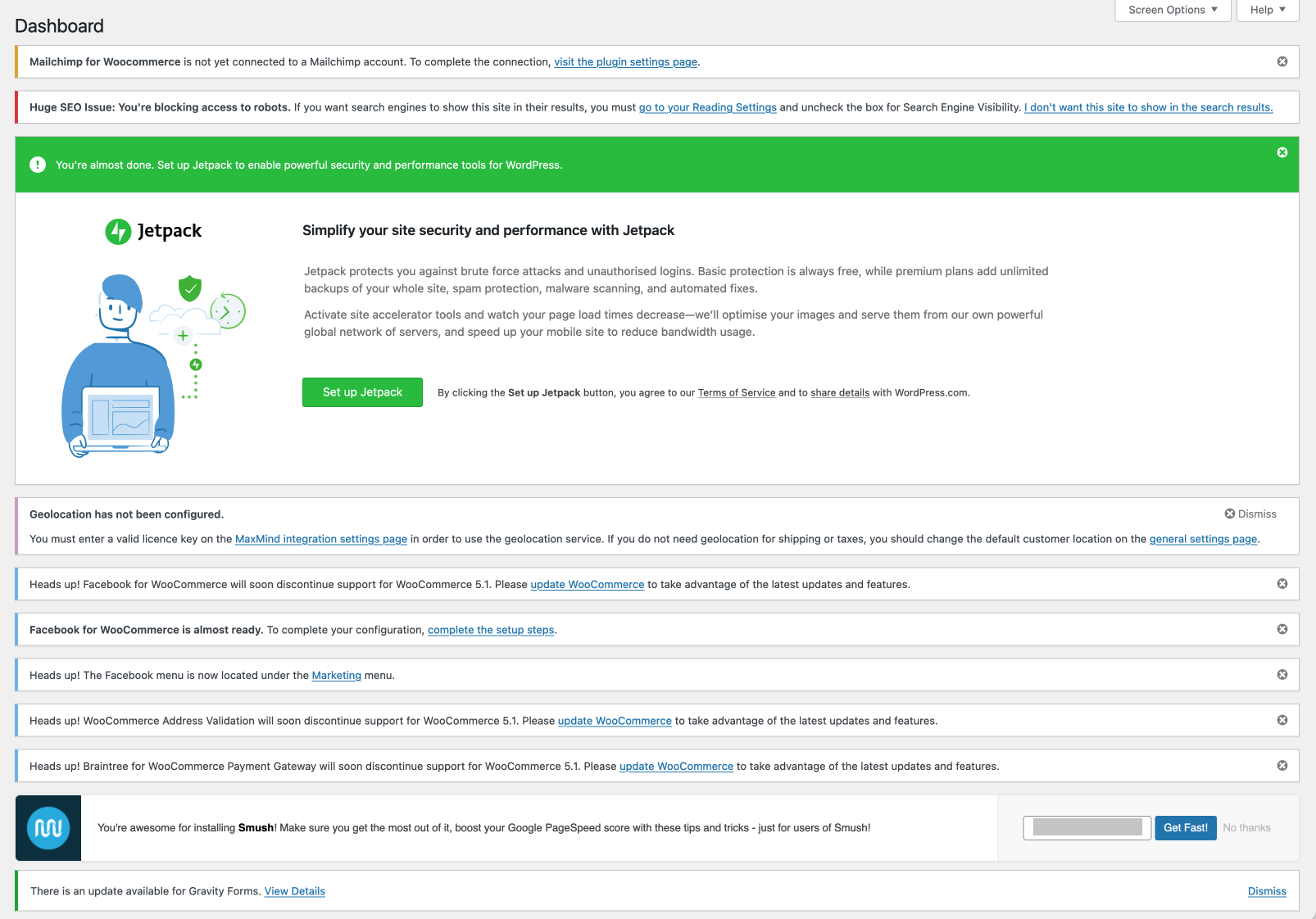
So many notifications you can’t even see the Dashboard content.
There’s a core project to manage Notifications, but after a promising start (with some really nice designs), progress has slowed a lot. There’s no longer updates on the Make blogs, but there is conversation happening on Github. I hope this project picks up again and we get a proper notification system, but until then I wondered “what is the simplest thing I can do that will improve the situation?”
The proposal includes a core API and standard designs, but that then requires developers to follow standards and update existing plugins to match. This will take a long time, since developers will also want notifications to work with older sites that don’t update their WordPress installs.
My answer was to use JavaScript to scoop up all the notifications on the current page and stick them in a hidden sidebar that can be toggled on and off. This puts the notifications out of view, whilst making them easily accessible.
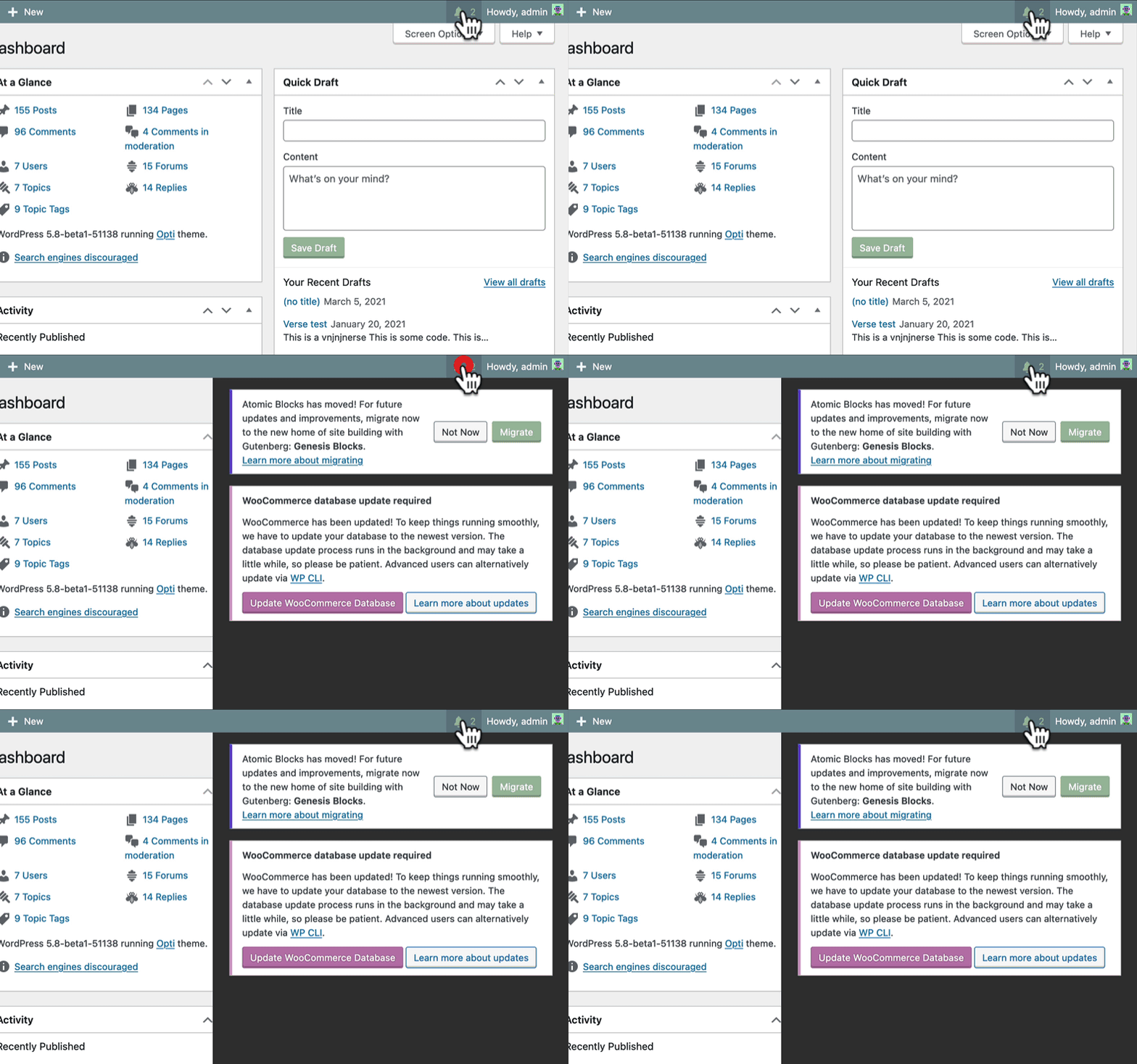
This is running on my dev server so ignore all the weird content
This is probably not a perfect solution. Many plugins use the WordPress core html classes, but some don’t and so they could be missed. In addition I decided to filter out some notices so that success and error messages displayed ok.
In my limited testing this has improved things a lot. In case of missing notifications I have added a link to create a github issue so that the plugin can be improved.
Why not help the core project?
Unfortunately I don’t have the time to commit to regular meetings and updates for the core project. Plus, core just moves too slowly for me, I want to make something simple that works now. When I build these things I can make decisions on my own and implement them quickly.
However, my code for Toolbelt is all public and GPL, and so anyone can take it and use it as a basis for their own work, or contribute to my version.
There’s definite benefits to working as a team, and I want core to have this feature included. I see the Tidy Notifications module as a stop gap until core has full support, and I look forward to the day I can disable it.
Get it now
I added the functionality to my plugin, Toolbelt. Toolbelt is a multi-purpose plugin that adds lots of functionality I use regularly across my sites. I built it for me, so there’s an eclectic mix of functionality, but all the features are built to be as minimal, and private, as possible whilst getting the job done to the best of their ability.
To Tidy your Notifications you shoud install the plugin and then go to the Toolbelt settings screen and enable the Tidy Notifications module.
Toolbelt has a lot of modules, and they are all disabled by default. The plugin is a visitor on your website and so you should control what features are enabled.
Feedback
I’d love to hear if you use Toolbelt, in particular the Tidy Notifications module. I want to know what notifications the plugin doesn’t catch, or does catch but shouldn’t, so that I can attempt to improve it. This module was made over a couple of evenings and so I’m sure there’s things I could do to improve it.
Let me know on the Github repository.
How was it for you? Let me know on BlueSky or Mastodon
(Please) Link to this page
Thanks for reading. I'd really appreciate it if you'd link to this page if you mention it in your newsletter or on your blog.
 Join the Ninja Sparks Newsletter!