The way we watch television is changing. There’s a lot of talk about the multi screen experience – watching tv from your sofa while surfing the Internet on your iPad/ laptop. And television broadcasting companies are noticing. They’re also noticing that our viewing habits are changing. With devices like laptops, tablets, and smartphones more people are consuming media in more places. This is where Virgin TV Anywhere comes in.

Virgin Media
Virgin recently invited me to their office to check out what they have planned. Before I went there I knew nothing about the service (despite being a Virgin TV and Internet customer) – so I did a bit of reading up on the subject. The demo I watched included everything I expected – but there was also ‘more’ stuff that I hadn’t been expecting, and it looks really good.
I want to make it clear that Virgin invited me to their office to demo Virgin TV Anywhere to me. However, having seen the product demo, I am genuinely looking forward to getting my hands on their new app so that I can use it for myself!
Virgin TV Anywhere?
Virgin TV Anywhere is a new addition to the standard Virgin Media Television package. It’s made up of a number of parts – initially it will be an app for the iPad and iPhone, and a web app. In the future there are other apps planned – Android first and then more (although they wouldn’t go into details about what ‘more’ entailed).
The idea of an app for a tv broadcaster isn’t new – Sky have dozens of the things. The Virgin app however wraps everything up into one neat package.
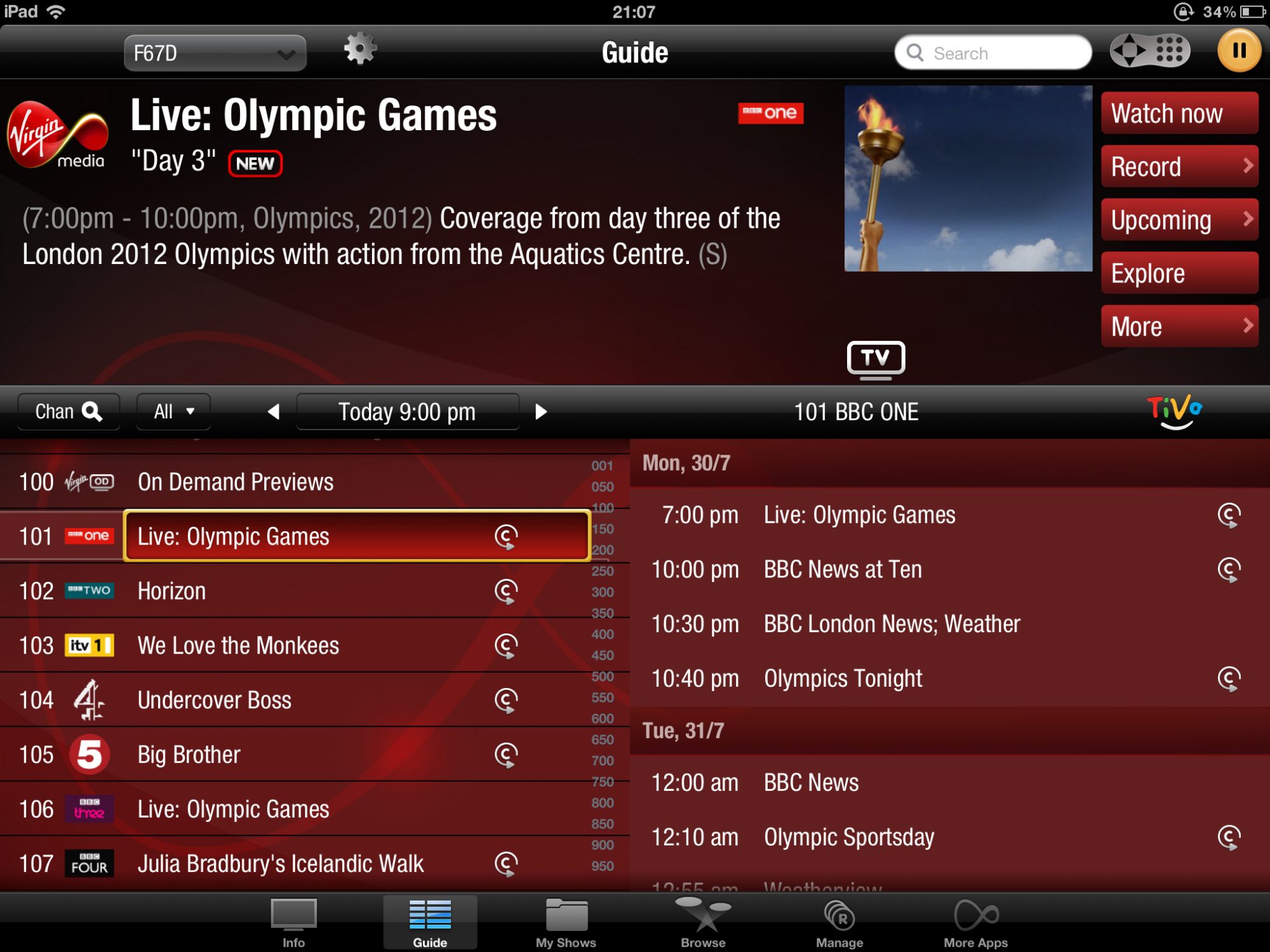
iPad - TV Guide
The highlights are multiple. First of all you can log in to your Virgin account in the app – and you can then see tv listing for all the channels in your package. You will be able to stream many tv stations (tv stations to be announced – they were keeping quiet on what was included), including catch up content, direct to your device. If you’re a Tivo customer then you can also manage your set-top box, schedule recordings, delete recordings, edit your wish list, and do pretty much everything you can when using the tv – all remotely.
When you’re at home you will also be able to use the iPhone/ iPad apps as remote controls (no more losing the remote down the sofa!). The iPad remote in particular has been redesigned so that it’s a lot nicer to use (including gestures and scrubber bars for adjusting your playback position). Due to the size of the iPhone screen the iPhone remote is essentially a photo of the Virgin Tivo peanut remote so not so nice – but still good as a spare.
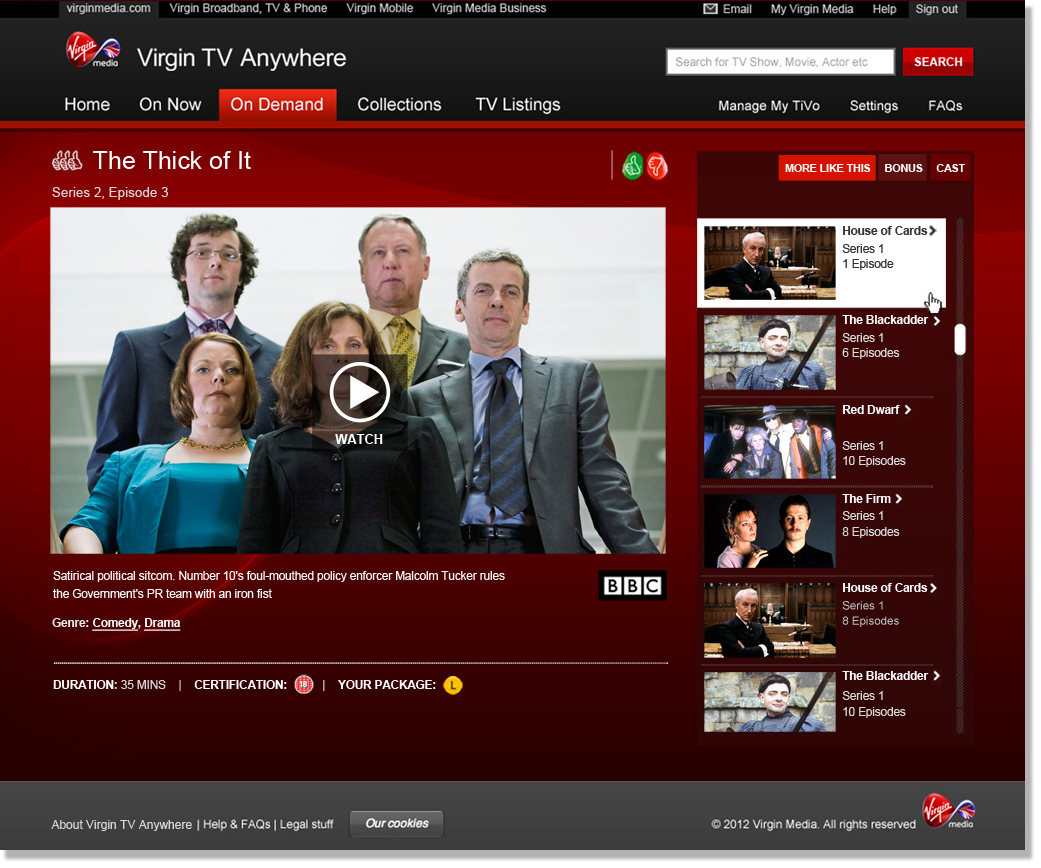
Online - On Demand
To top it off there’s the web app – it also has the streaming functionality and the controls for your Tivo box. Another nice feature of the web version is that they have compiled all the web streaming services for the online channels (iPlayer, 4 on Demand etc) with listings, and allow you to link directly through to those services. A nice little bonus that saves you from having to visit loads of different websites.
Tivo?
Clearly many of the benefits of these apps are for Tivo customers, but there’s still a lot of people using Virgin Media who have a regular Virgin hub. These customers haven’t been forgotten and can still view all the streaming content that their package allows – they just can’t control recordings and whatnot.
When?
Unfortunately Virgin were tight-lipped on the release of Virgin TV Anywhere – only saying it would be released soon – however as a Virgin Tivo customer I am rather looking forward to getting to use the app in particular for the streaming aspects.
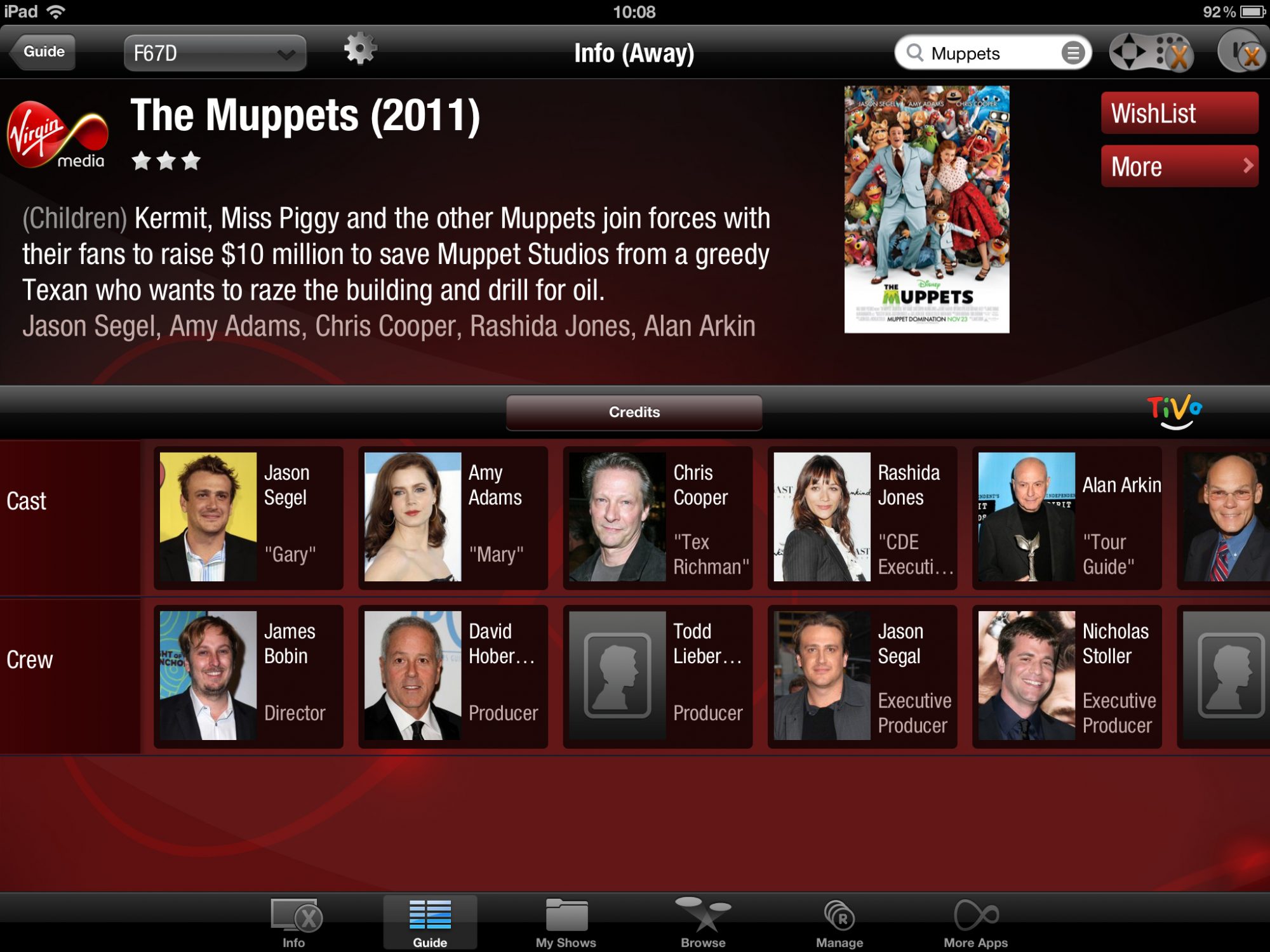
Movie cast and crew listings on the iPad app.
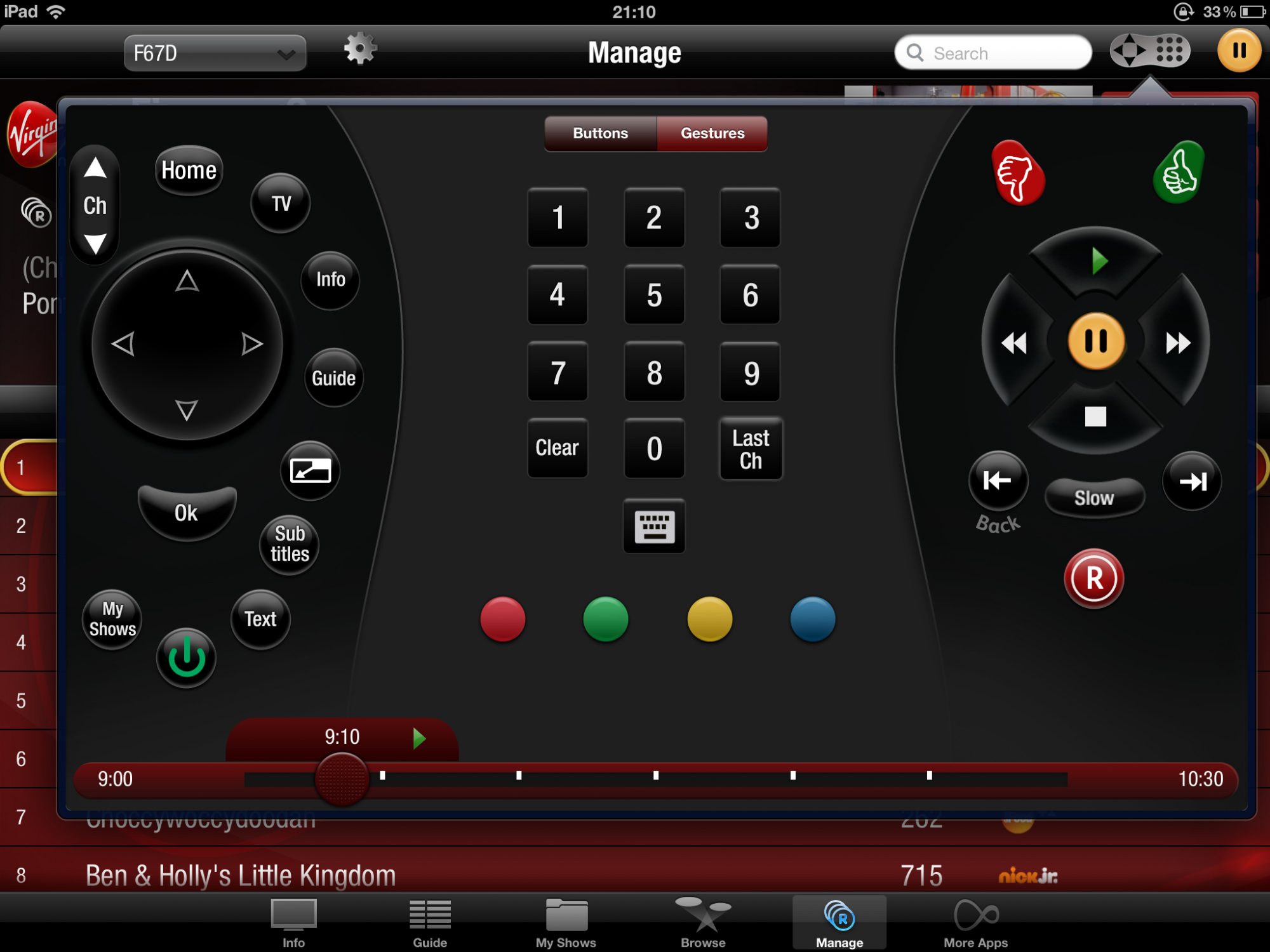
Virgin Media Television Remote control
TV Guide on the iPad app.
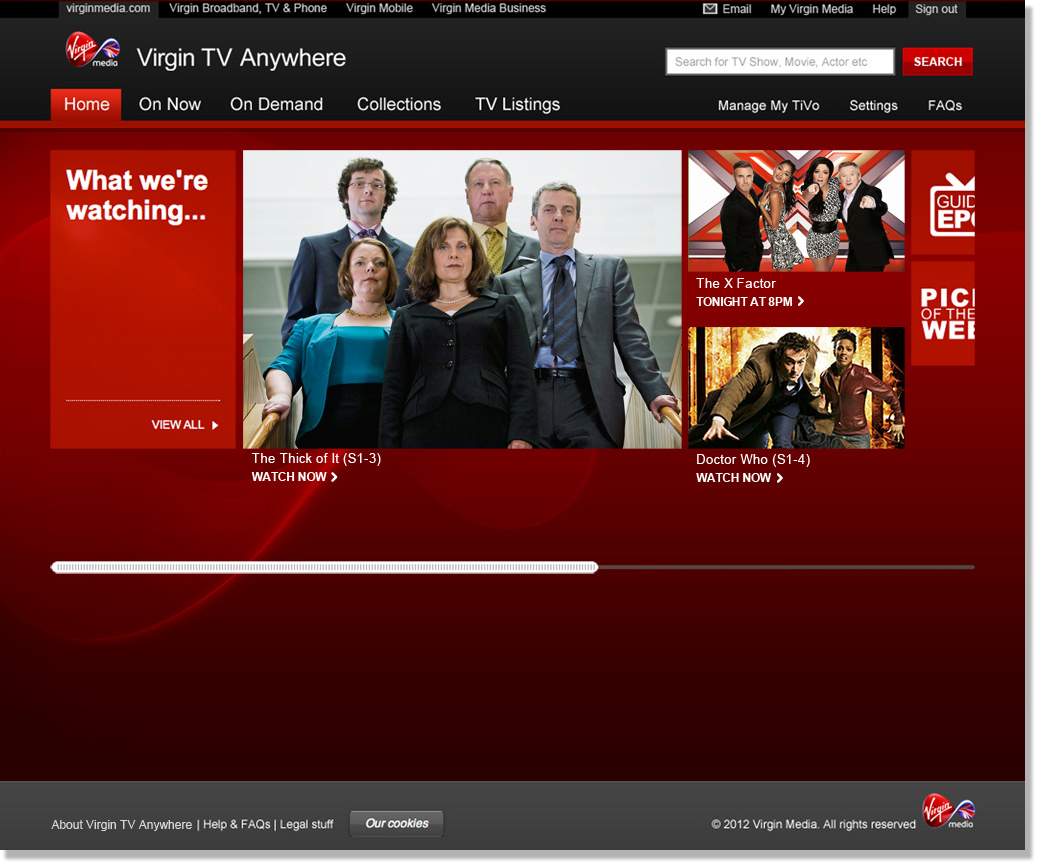
Virgin Media Online – Homepage
Virgin Media Online – Online On Demand
Virgin Media Logo
How was it for you? Let me know on BlueSky or Mastodon
(Please) Link to this page
Thanks for reading. I'd really appreciate it if you'd link to this page if you mention it in your newsletter or on your blog.
 Join the Ninja Sparks Newsletter!